> ## Documentation Index
> Fetch the complete documentation index at: https://moengage-gr001-flows-limits.mintlify.site/llms.txt
> Use this file to discover all available pages before exploring further.
# How to Avoid Common Push Notification Issues on iOS Devices Using iOS SDK version 7.x.x?
> Fix push campaign impression tracking and image rendering on iOS SDK 7.x.x. Step-by-step guide to configuring appgroupid in your MoEngage setup.
## Problem
Common issues with Push notifications, including Push Campaign impressions not being tracked and images not rendering even though Push notifications are successfully delivered to device with SDK version 7.x.x.
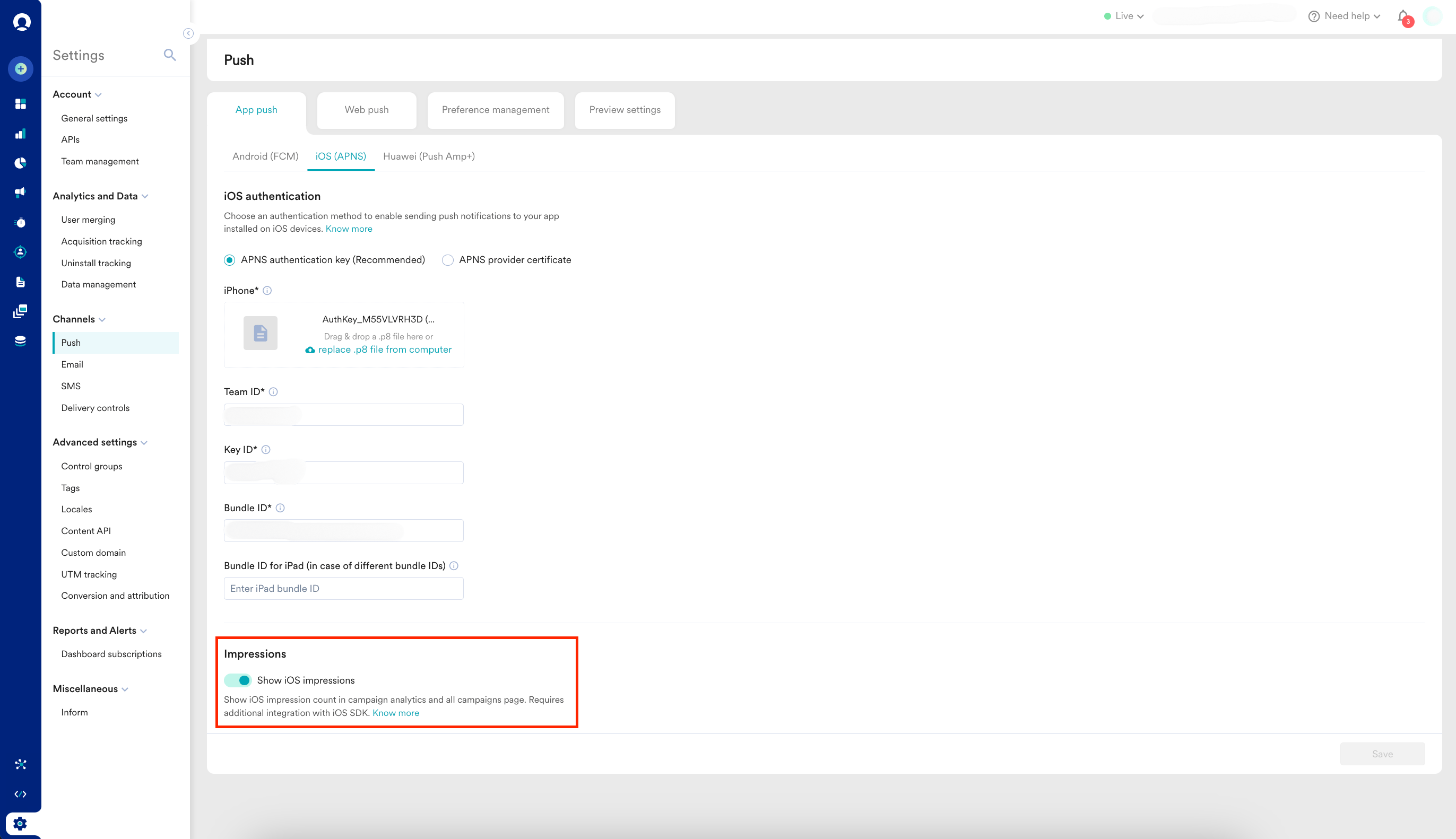
* To track impressions, ensure that the Notification Service Extension is implemented in your app.
* Additionally, enable the **Show iOS impressions** toggle on the MoEngage dashboard by navigating to **Settings → Channel → Push → IOS**.
 ## Solution
Perform the following steps:
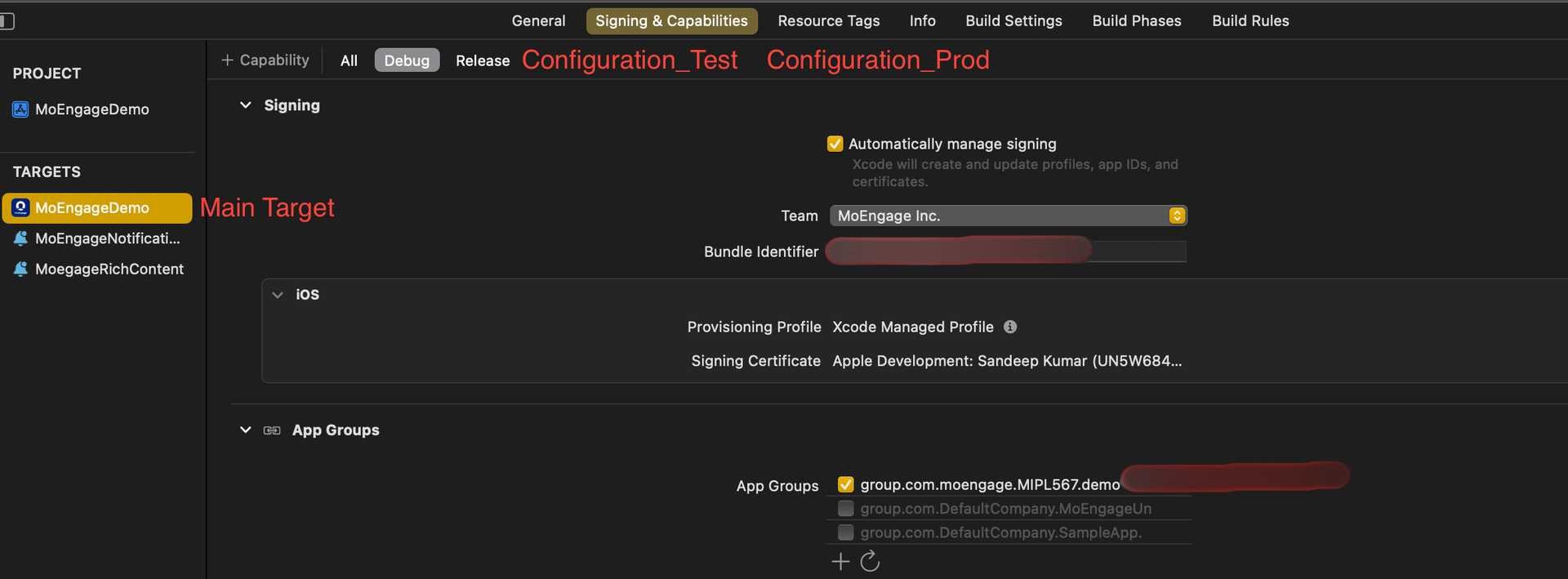
1. **Add app\_group\_id to Your Project’s Main Target for Each Configuration**:
You can add the same app\_group\_id or different ones across configurations.
If your configurations use different Bundle Identifiers but share the same app\_group\_id, issues may arise. Specifically, if two apps with different Bundle Identifiers but the same app\_group\_id are installed on the same device, the Notification Service Extension may fail.
To avoid this, you can use the same app\_group\_id across multiple configurations, but be aware that you won't be able to test all apps simultaneously on a single device.
## Solution
Perform the following steps:
1. **Add app\_group\_id to Your Project’s Main Target for Each Configuration**:
You can add the same app\_group\_id or different ones across configurations.
If your configurations use different Bundle Identifiers but share the same app\_group\_id, issues may arise. Specifically, if two apps with different Bundle Identifiers but the same app\_group\_id are installed on the same device, the Notification Service Extension may fail.
To avoid this, you can use the same app\_group\_id across multiple configurations, but be aware that you won't be able to test all apps simultaneously on a single device.
 2. **Add app\_group\_id During SDK Initialization**:
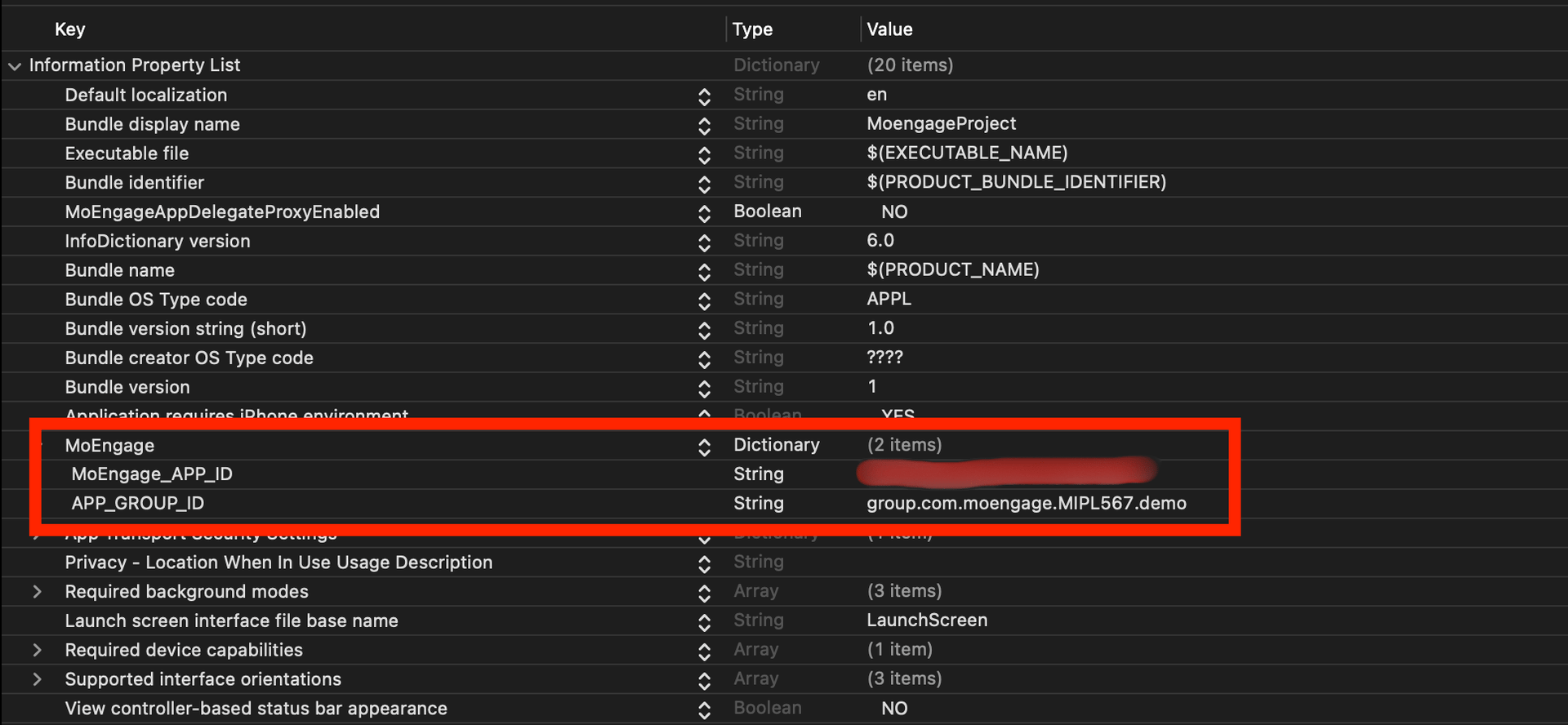
* If you initialize the SDK using info.plist, add the APP\_GROUP\_ID key inside the MoEngage key in your info.plist file.
* If you initialize the SDK using sdkConfig, add the APP\_GROUP\_ID in the sdkConfig variable inside the AppDelegate file.\
**app\_group\_id in info.plist:**
2. **Add app\_group\_id During SDK Initialization**:
* If you initialize the SDK using info.plist, add the APP\_GROUP\_ID key inside the MoEngage key in your info.plist file.
* If you initialize the SDK using sdkConfig, add the APP\_GROUP\_ID in the sdkConfig variable inside the AppDelegate file.\
**app\_group\_id in info.plist:**
 **app\_group\_id in sdkConfig variable:**
```swift Swift theme={null}
var sdkConfig = MOSDKConfig.init(appID: "XXXXXXXXXXXXXXXX")
sdkConfig.moeDataCenter = DATA_CENTER_0X
sdkConfig.appGroupID = "group.com.XXXXXXXXXXXXXXXX"
//if SDK initialized without sdkConfig in AppDelegate file
MoEngage.setAppGroupID("group.com.moengage.MIPL567.demo")
```
```swift Objective-C theme={null}
MOSDKConfig* sdkConfig = [[MOSDKConfig alloc] initWithAppID: @"XXXXXXXXXXXXXXXX"];
sdkConfig.moeDataCenter = DATA_CENTER_0X;
sdkConfig.appGroupID = @"group.com.XXXXXXXXXXXXXXXX";
//if SDK initialized without sdkConfig in AppDelegate file
[MoEngage setAppGroupID: @"group.com.XXXXXXXXXXXXXXXX"];
```
3. **Create a Notification Service Extension Target**:
**app\_group\_id in sdkConfig variable:**
```swift Swift theme={null}
var sdkConfig = MOSDKConfig.init(appID: "XXXXXXXXXXXXXXXX")
sdkConfig.moeDataCenter = DATA_CENTER_0X
sdkConfig.appGroupID = "group.com.XXXXXXXXXXXXXXXX"
//if SDK initialized without sdkConfig in AppDelegate file
MoEngage.setAppGroupID("group.com.moengage.MIPL567.demo")
```
```swift Objective-C theme={null}
MOSDKConfig* sdkConfig = [[MOSDKConfig alloc] initWithAppID: @"XXXXXXXXXXXXXXXX"];
sdkConfig.moeDataCenter = DATA_CENTER_0X;
sdkConfig.appGroupID = @"group.com.XXXXXXXXXXXXXXXX";
//if SDK initialized without sdkConfig in AppDelegate file
[MoEngage setAppGroupID: @"group.com.XXXXXXXXXXXXXXXX"];
```
3. **Create a Notification Service Extension Target**:
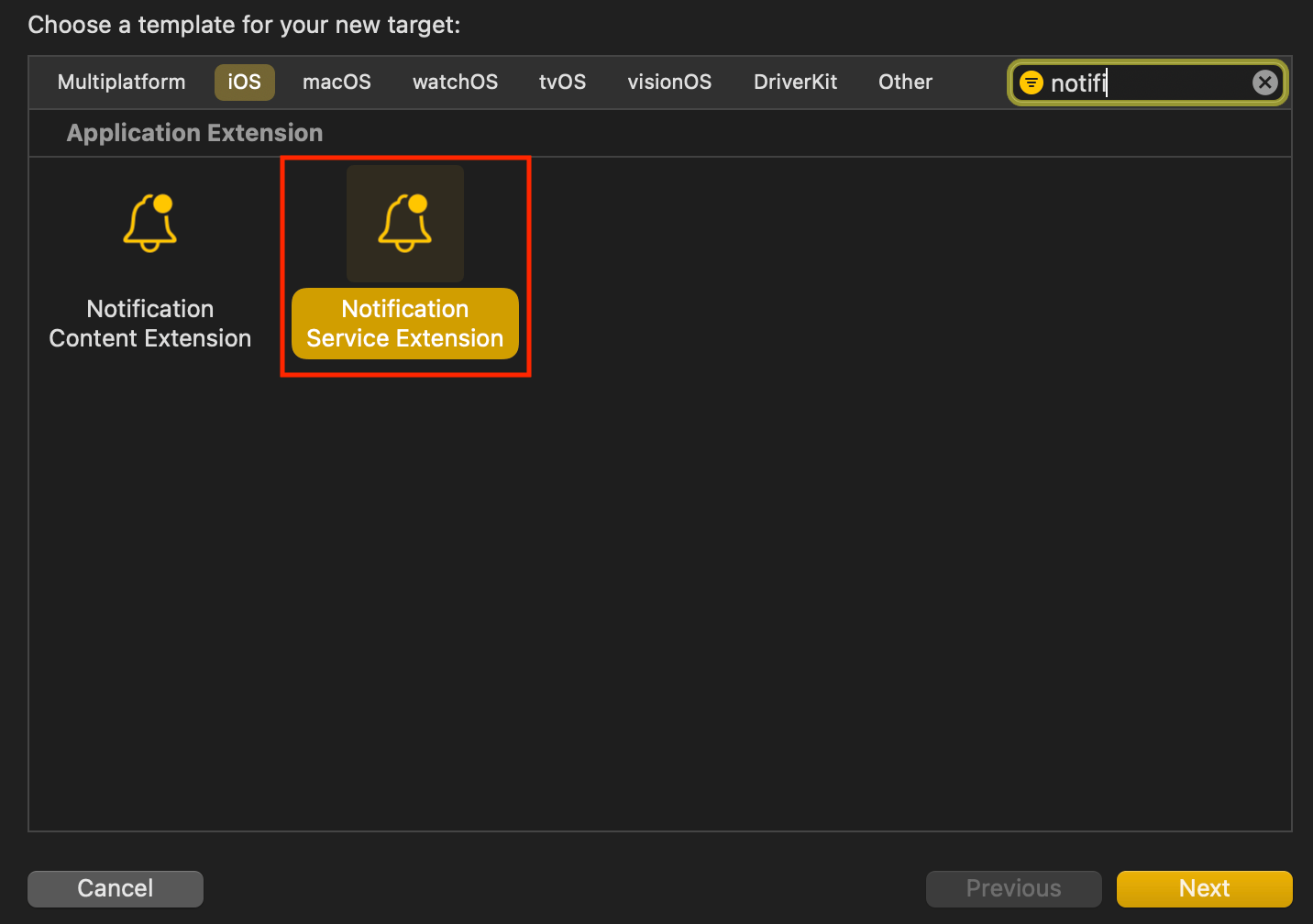 * **Name the Extension Target**: Choose a name for the extension target. Swift is recommended as the language as it works seamlessly with Objective-C projects too.
 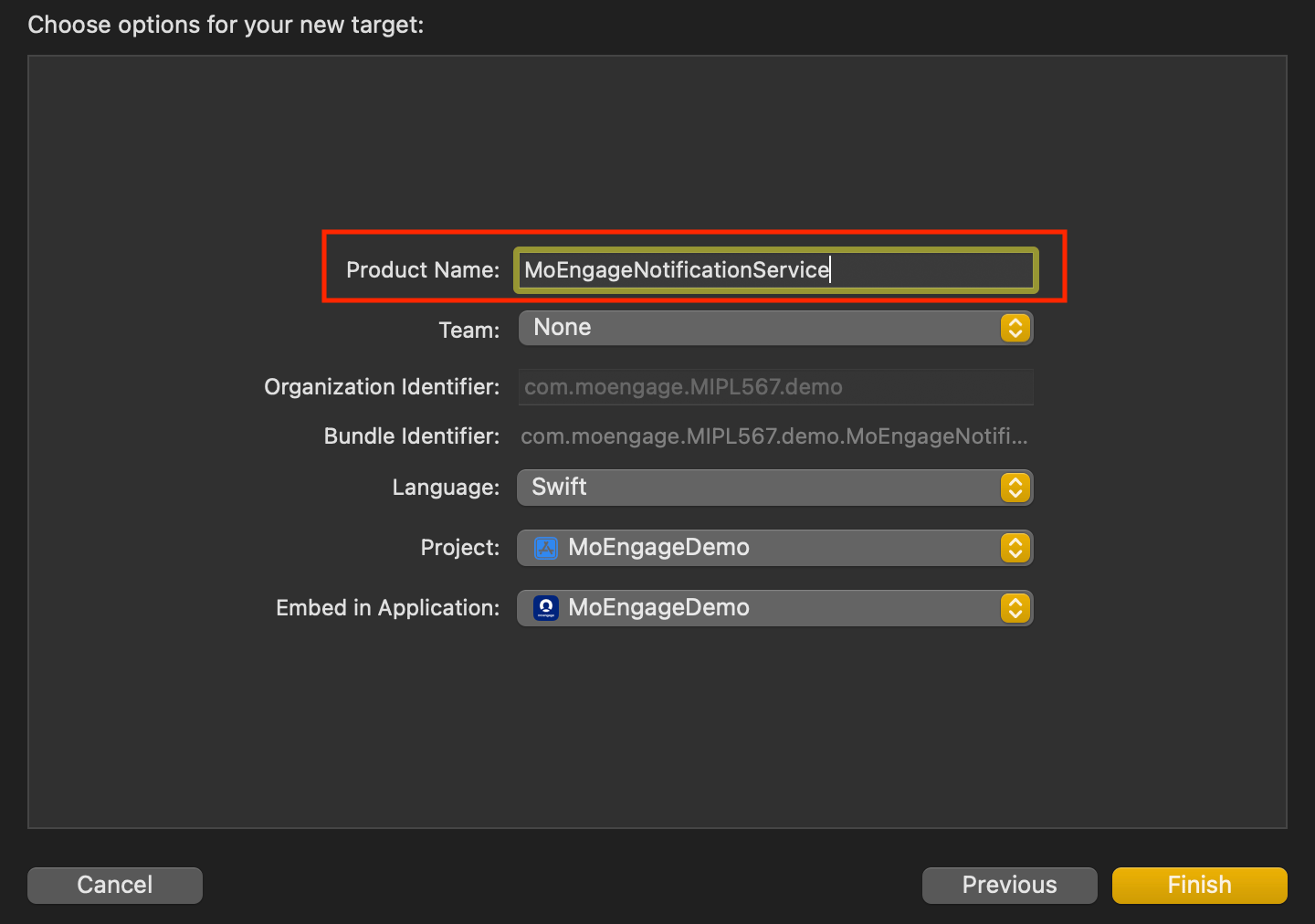 * **Enable Push Notifications**: In the extension target's Signing & Capabilities section, enable Push Notifications and add the AppGroupId.
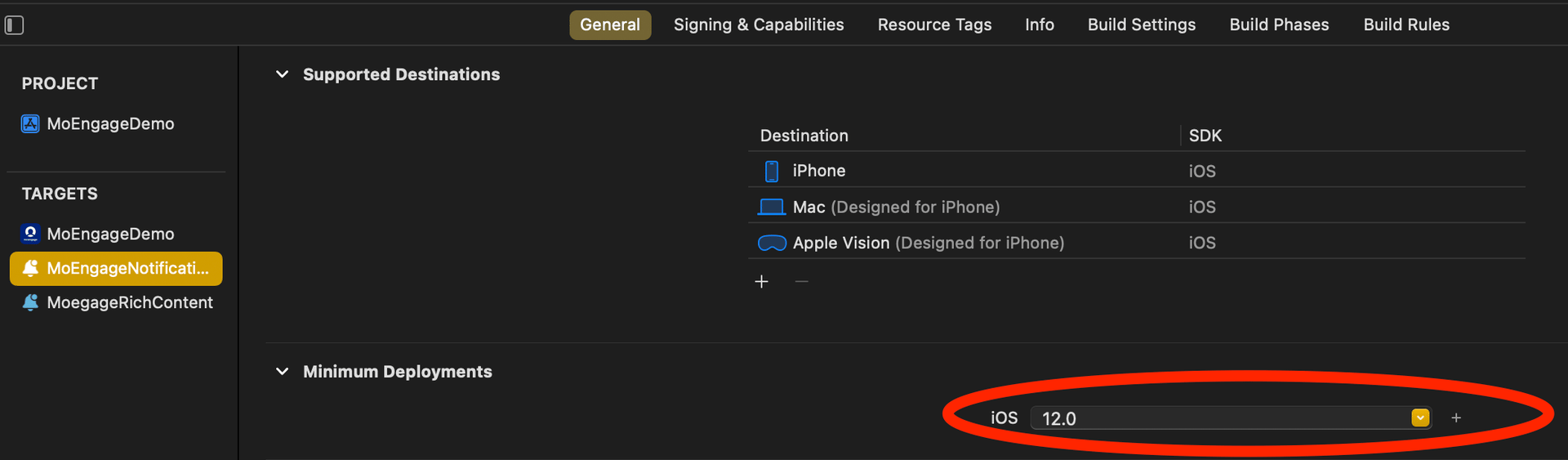
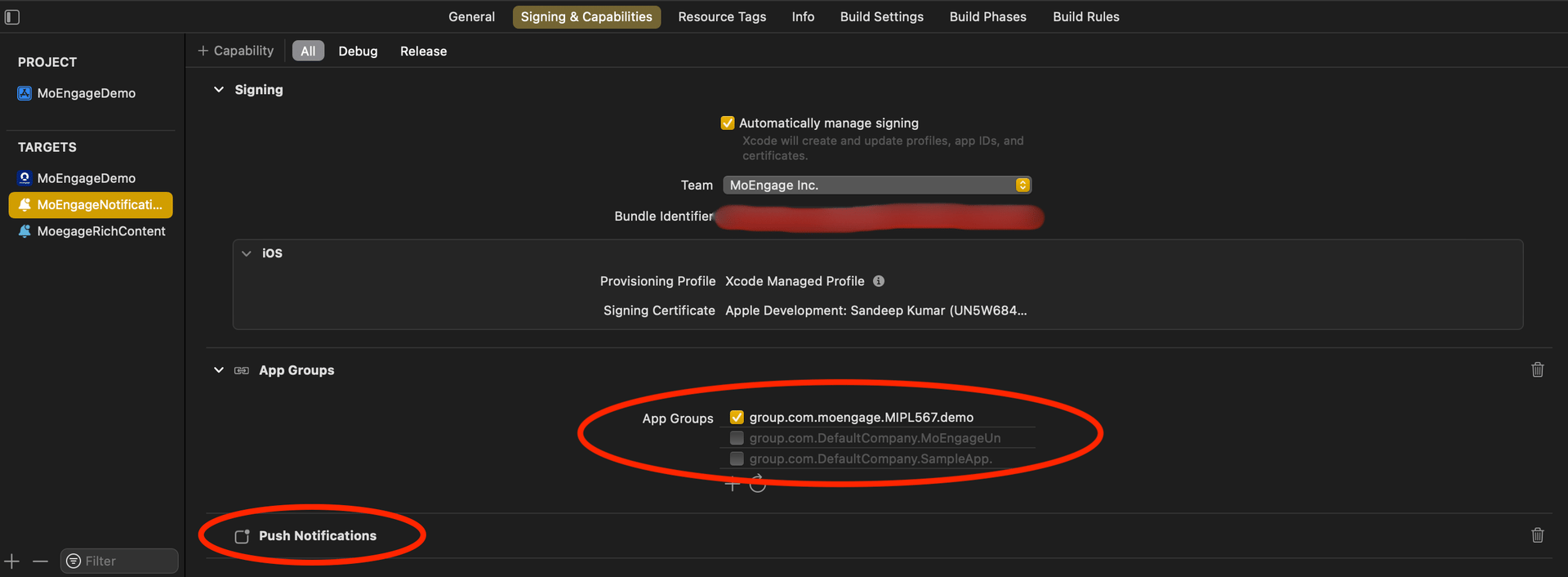 * **Align the Minimum Deployment iOS Version**: Ensure that the minimum deployment iOS version of the Notification Service Extension matches the iOS version of the main app.
  4. **Integrate the MORichNotification Framework into the Notification Service Extension Target**: In your podfile, add the Notification Service Extension as a separate target and install the MORichNotification framework.
```swift Swift theme={null}
target 'MoEngageDemo' do
use_frameworks!
pod 'MoEngage-iOS-SDK'
end
target 'MoEngageNotificationService' do
use_frameworks! #use use_frameworks only if included in main target as in above scenario
pod 'MORichNotification'
end
```
5. Code changes in NotificationService.swift file:
```swift Swift theme={null}
import UserNotifications
import MORichNotification
class NotificationService: UNNotificationServiceExtension {
var contentHandler: ((UNNotificationContent) - Void)?
var bestAttemptContent: UNMutableNotificationContent?
override func didReceive(_ request: UNNotificationRequest, withContentHandler contentHandler: @escaping (UNNotificationContent) - Void) {
MORichNotification.setAppGroupID("group.com.XXXXXXXXXXXXXXXX")
self.contentHandler = contentHandler
bestAttemptContent = (request.content.mutableCopy() as? UNMutableNotificationContent)
MORichNotification.handle(request, withContentHandler: contentHandler)
}
override func serviceExtensionTimeWillExpire() {
// Called just before the extension will be terminated by the system.
// Use this as an opportunity to deliver your "best attempt" at modified content, otherwise the original push payload will be used.
if let contentHandler = contentHandler, let bestAttemptContent = bestAttemptContent {
contentHandler(bestAttemptContent)
}
}
}
```
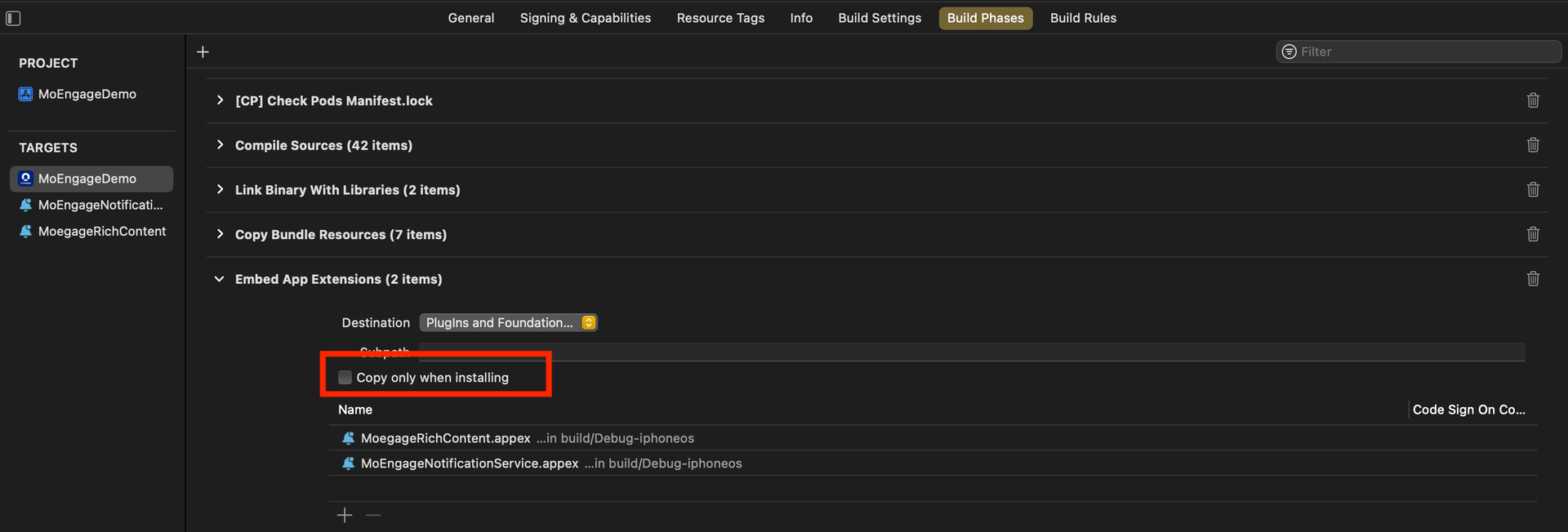
6. **Check Build Phases for the Main App Target**: In the Build Phases section of the main app target, locate the Embed App Extensions / Embed Foundation Extensions section. Ensure that the **Copy only when installing** option is unchecked.
4. **Integrate the MORichNotification Framework into the Notification Service Extension Target**: In your podfile, add the Notification Service Extension as a separate target and install the MORichNotification framework.
```swift Swift theme={null}
target 'MoEngageDemo' do
use_frameworks!
pod 'MoEngage-iOS-SDK'
end
target 'MoEngageNotificationService' do
use_frameworks! #use use_frameworks only if included in main target as in above scenario
pod 'MORichNotification'
end
```
5. Code changes in NotificationService.swift file:
```swift Swift theme={null}
import UserNotifications
import MORichNotification
class NotificationService: UNNotificationServiceExtension {
var contentHandler: ((UNNotificationContent) - Void)?
var bestAttemptContent: UNMutableNotificationContent?
override func didReceive(_ request: UNNotificationRequest, withContentHandler contentHandler: @escaping (UNNotificationContent) - Void) {
MORichNotification.setAppGroupID("group.com.XXXXXXXXXXXXXXXX")
self.contentHandler = contentHandler
bestAttemptContent = (request.content.mutableCopy() as? UNMutableNotificationContent)
MORichNotification.handle(request, withContentHandler: contentHandler)
}
override func serviceExtensionTimeWillExpire() {
// Called just before the extension will be terminated by the system.
// Use this as an opportunity to deliver your "best attempt" at modified content, otherwise the original push payload will be used.
if let contentHandler = contentHandler, let bestAttemptContent = bestAttemptContent {
contentHandler(bestAttemptContent)
}
}
}
```
6. **Check Build Phases for the Main App Target**: In the Build Phases section of the main app target, locate the Embed App Extensions / Embed Foundation Extensions section. Ensure that the **Copy only when installing** option is unchecked.
 7. **Ensure Consistent appGroupId Across Configurations**: Verify that the appGroupId is consistent across all schemes and configurations (for example, Debug/Release/QA/UAT) in the project.
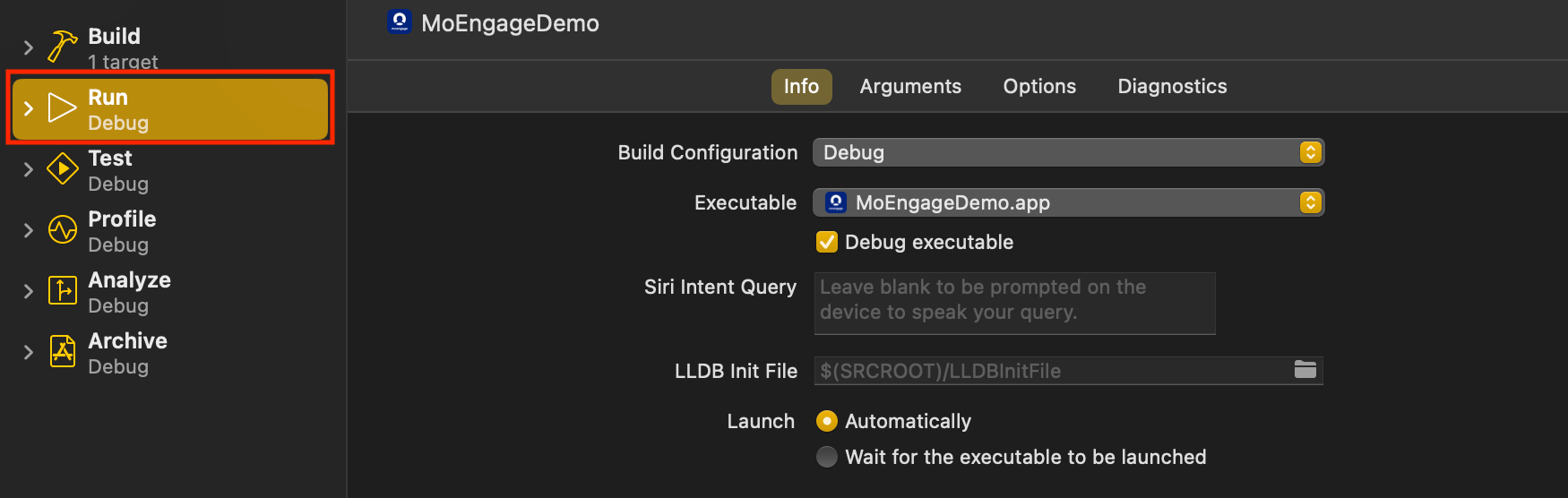
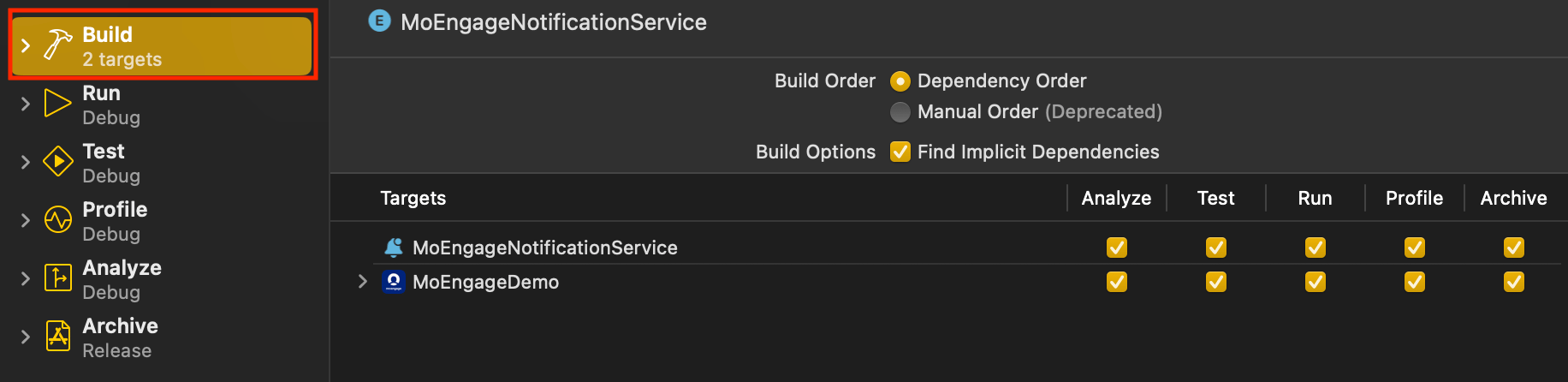
8. **Align Build Configuration**: When running or archiving the project, make sure that the Build Configuration for both the Main Target and the Notification Service Extension Target points to the same scheme/configuration.
7. **Ensure Consistent appGroupId Across Configurations**: Verify that the appGroupId is consistent across all schemes and configurations (for example, Debug/Release/QA/UAT) in the project.
8. **Align Build Configuration**: When running or archiving the project, make sure that the Build Configuration for both the Main Target and the Notification Service Extension Target points to the same scheme/configuration.